Vocal layouts: accompanying every voice
Deep, Bright, Wide: three Logic Mode layouts that adapt the chords to the singer's range so the voice settles naturally.
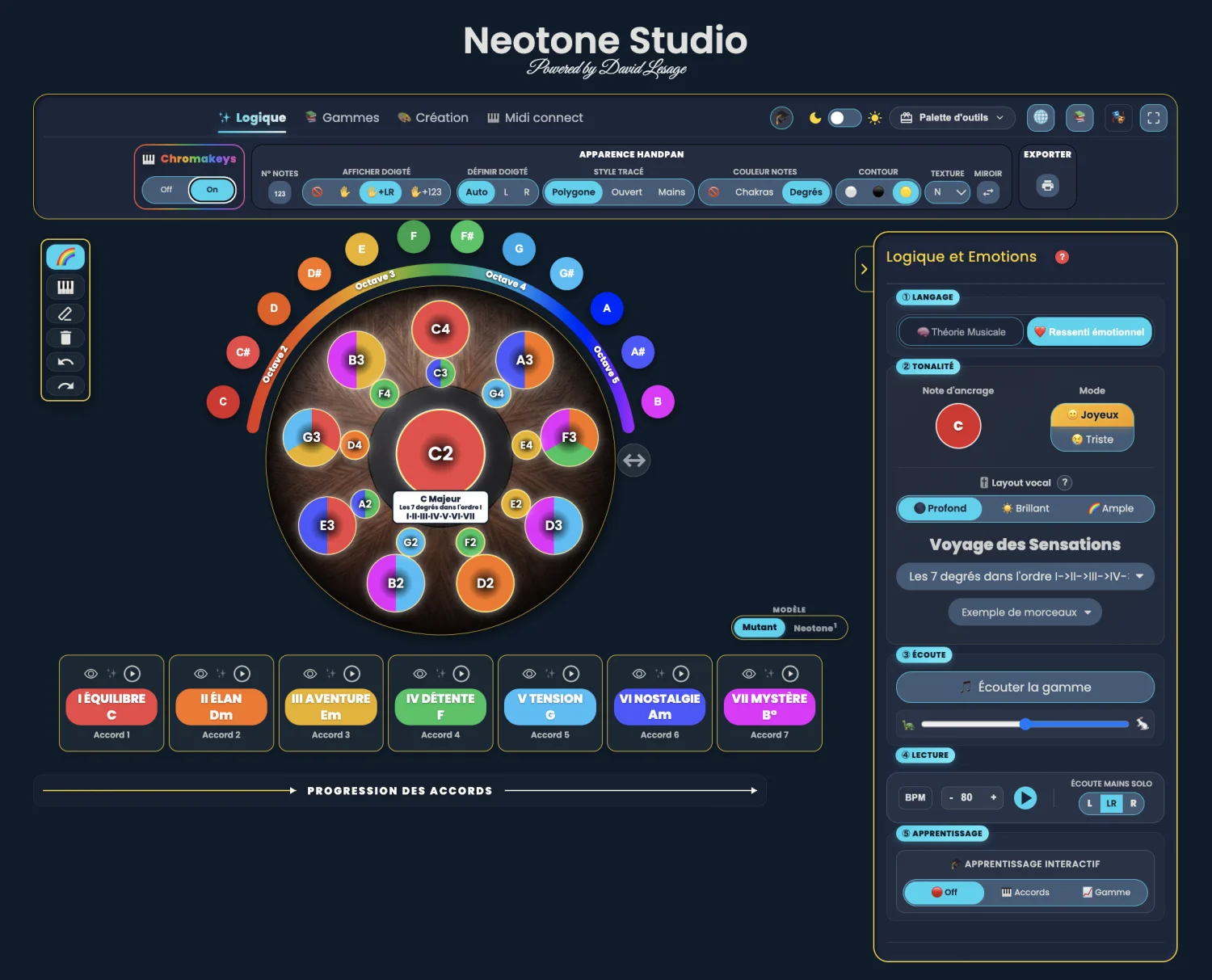
Vocal layouts are three settings of Handpan Studio’s Logic Mode that rearrange the chords’ layout and voicing to match the singer’s range. Deep, Bright, Wide: each places the notes differently so the voice settles naturally above your accompaniment, instead of fighting it.
Why a layout changes everything for the voice
When you accompany someone singing, it’s not only the chord that matters — it’s where it sounds. A chord placed too high clashes with a high voice; placed too low, it leaves a low voice with no support. The same chord, played with a different voicing, can either wrap around the voice or trample it.
That’s exactly what the vocal layouts fix. They keep the same colours, the same emotions — the grammar described in Playing with emotions — but reorganise how the accompaniment occupies the sound space, leaving room for the voice.
The three presets
Deep — for high voices
The Deep layout gives a warm, woody tone. By placing the accompaniment low, it frees up the whole top of the spectrum: ideal for high voices, which then float above a deep bed. The singing hovers, nothing competes for its space.
Bright — for low voices
The Bright layout offers a clear, airy tone. Its sparkle sits high, above the voice: the companion of low voices, which keep all their anchoring while the accompaniment glitters overhead. The contrast between the voice’s depth and the handpan’s clarity creates instant relief.
Wide — for mid-range voices
The Wide layout is the versatile one. It opens the accompaniment in a balanced way so a mid-range voice settles naturally in the middle. If you don’t know where to place your voice, or if you accompany several people, it’s the safest starting point.
Finding your layout
There’s no right or wrong choice: there’s the layout that lets your voice breathe. The simplest way is to try. Sing a phrase, switch preset, listen for where your voice feels carried rather than hindered. Your ear will decide faster than any rule.
And if your key doesn’t sit right with your voice, transposition lets you shift the whole thing in one move to sing at your natural pitch. Layouts adapt the shape, transposition adapts the pitch: together, they mould the accompaniment around you.
Want guidance to accompany your voice? David Lesage’s lessons take you by the hand. Open Handpan Studio, try the three layouts, and let your voice find its place.
Ready to make your colours sing?
Try the app for free, or discover the electronic Neotone handpan.