Create and export your chord diagrams as PDF
Each chord drawn as a colourful mini-handpan: notes, play order, suggested fingering. Export your chord diagrams as printable PDF or PNG.
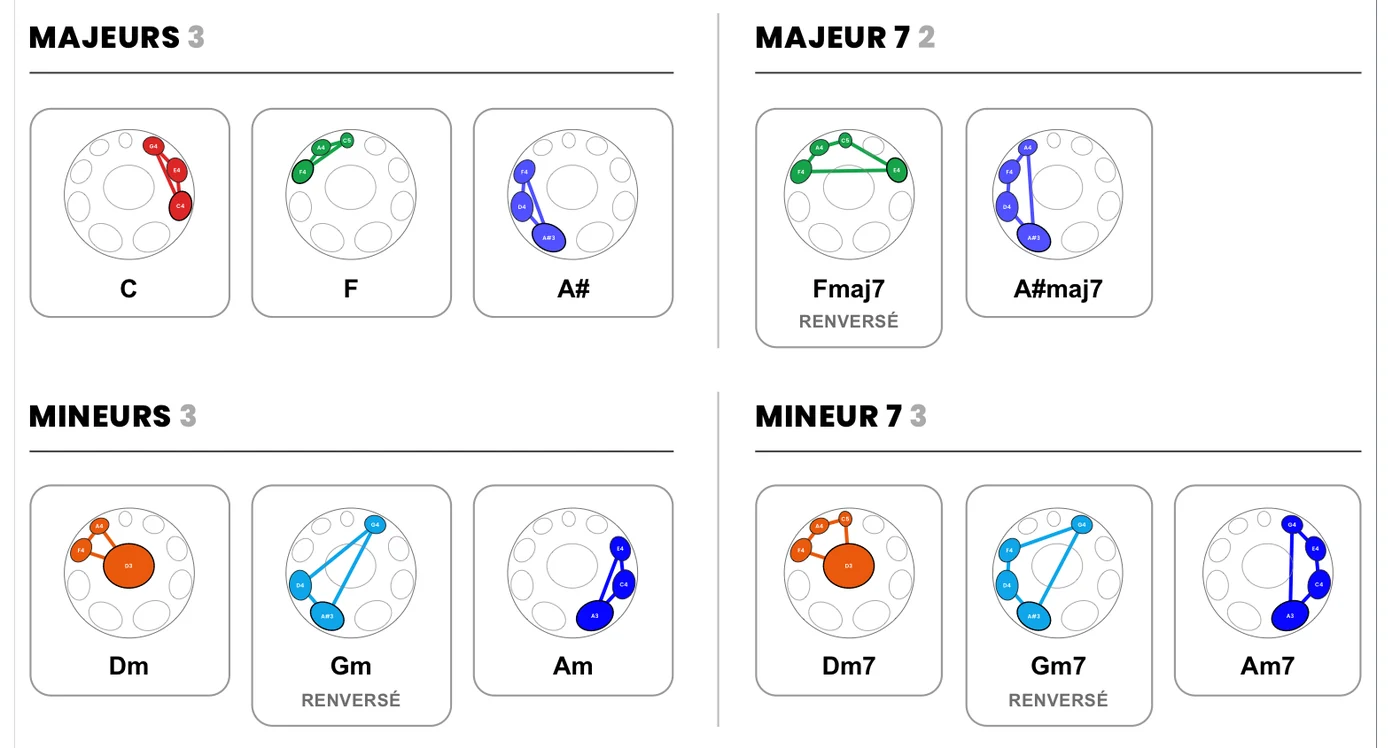
In Handpan Studio, each chord is drawn as a colourful mini-handpan: the chord’s notes are colour-coded, the play order is numbered, and a fingering is suggested. You export these diagrams as printable PDF or PNG to review at your own pace or pass them on — a visual language that reads without music theory.
One chord, one mini-handpan
A chord written on a classical staff doesn’t tell you where to place your hands on your instrument. Handpan Studio’s chord diagram answers exactly that. Each chord becomes an image of your handpan, with:
- Colour-coded notes — the ChromaKeys colours inherited from the constellations of the handpan, to recognise the chord at a glance;
- A numbered play order — you see which note to strike first, then the next;
- A suggested fingering — which hand for which note, especially reliable in electronic Logic Mode;
- A legend — chords, degrees and associated emotions, so you understand what you’re playing.
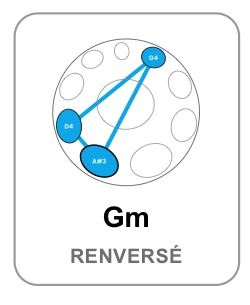
At a single glance, you move from a chord’s name to a concrete gesture on the instrument — here the Gm chord (inverted): three linked notes, a recognisable shape. It’s the bridge between theory and your hands.
Your whole scale, sorted by families
The app’s Chord Grid goes beyond a single chord: it lists every chord playable on your scale, sorted by families — majors, minors, major 7, minor 7, 7th, diminished — with an “inverted” note when the chord is played in another order. Here is the real export of a D Minor / Kurd 10:
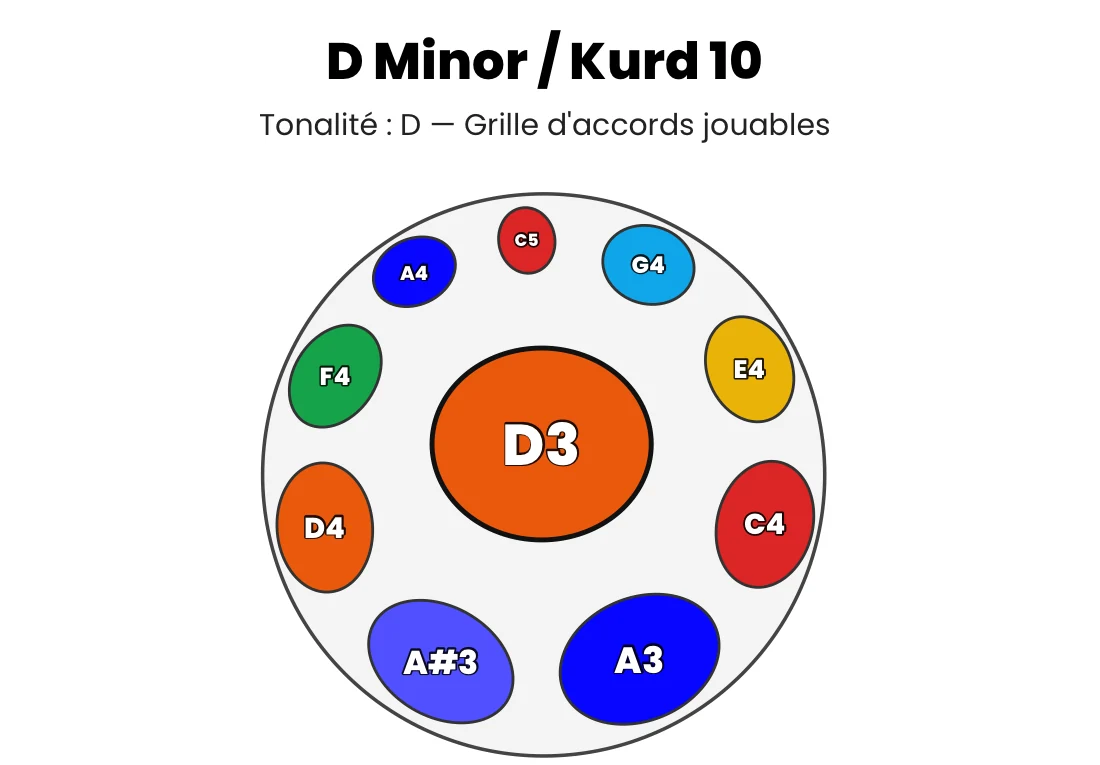
In one document, you know exactly what your handpan can play. It’s your harmonic identity card.
Review and pass on
A diagram on screen is useful; a diagram on paper is a study card. By exporting your chords, you build your own personal deck: each sheet shows a chord, its fingering, its colours. You set them next to the instrument, you repeat, you memorise.
And because these are universal files, you share them easily. A student, a friend just starting out, a singer you accompany: each receives a clear image, readable without knowing music theory. The colours and numbers speak for themselves.
Export as PDF or PNG
Export starts from the app’s Export button.
Separately or within a score
You choose to export your diagrams on their own — one file per chord, or a ZIP bundling them — or built into a full score. Both PDF and PNG formats are available: PDF to print cleanly, PNG to share as an image.
Printable and ink-saving
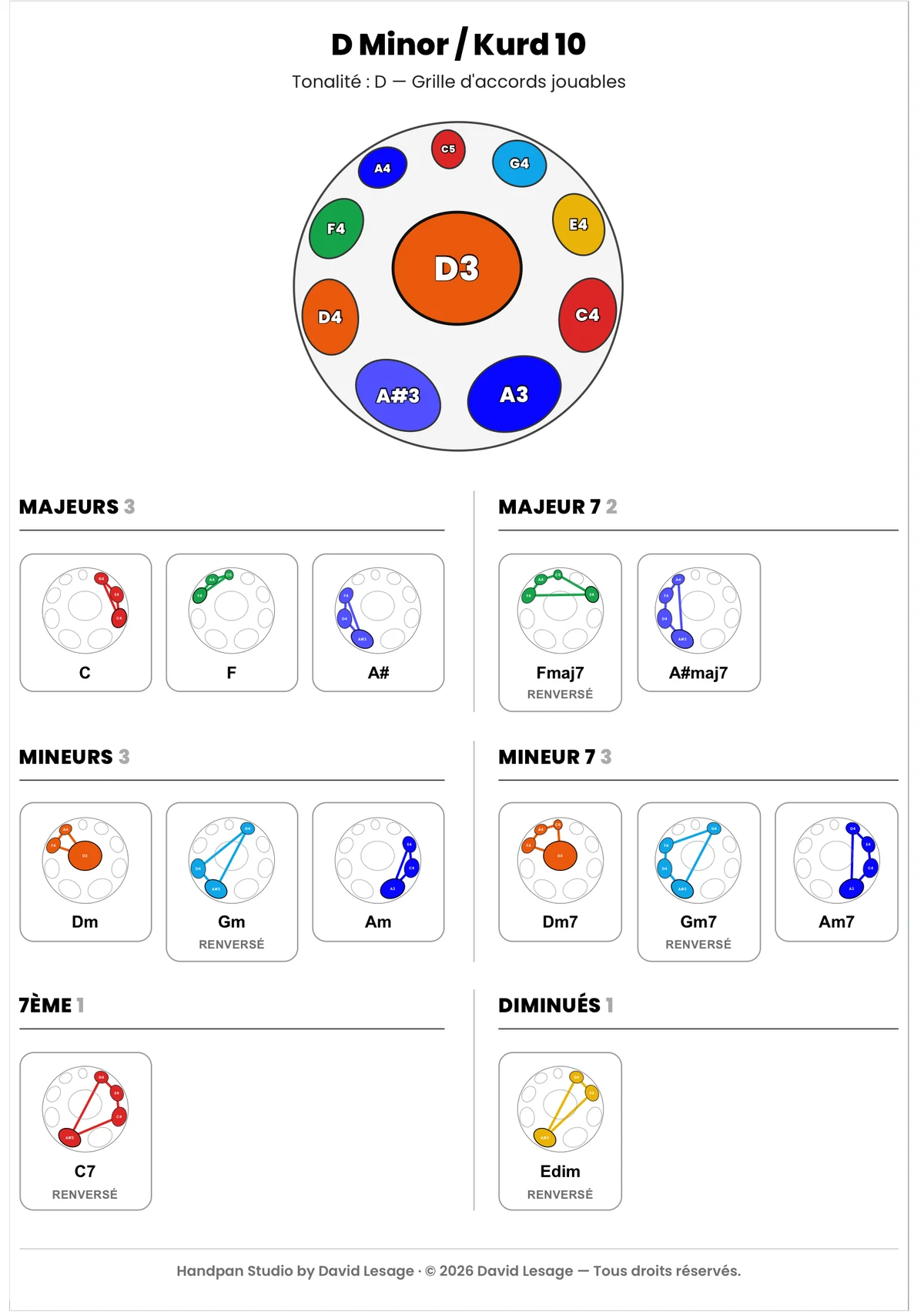
Turn on Ink-Saver Mode before printing: white background, ink saved, diagrams still crisp — exactly the look of the exports shown in this article. Your chord cards come out clean on plain paper, ready to place on the stand:
Watermark and free access
Every export discreetly carries the note “created with Handpan Studio by David Lesage” — a signature that accompanies your document without spoiling it. Creating and exporting your diagrams in acoustic mode is free; the Studio version adds cloud saving. For export logic in the broader sense, the article on keeping and sharing your chords rounds out the picture.
Your chords, on paper
Open Handpan Studio, compose a progression, and export your first chord diagrams as PDF. You’ll hold a clear, colourful card in your hands — ready to review, and ready to give away.
Ready to make your colours sing?
Try the app for free, or discover the electronic Neotone handpan.