Keep and share your chords: the score editor
Export your progressions and visual scores as PDF or PNG to review, keep or pass on. Handpan Studio's visual score editor.
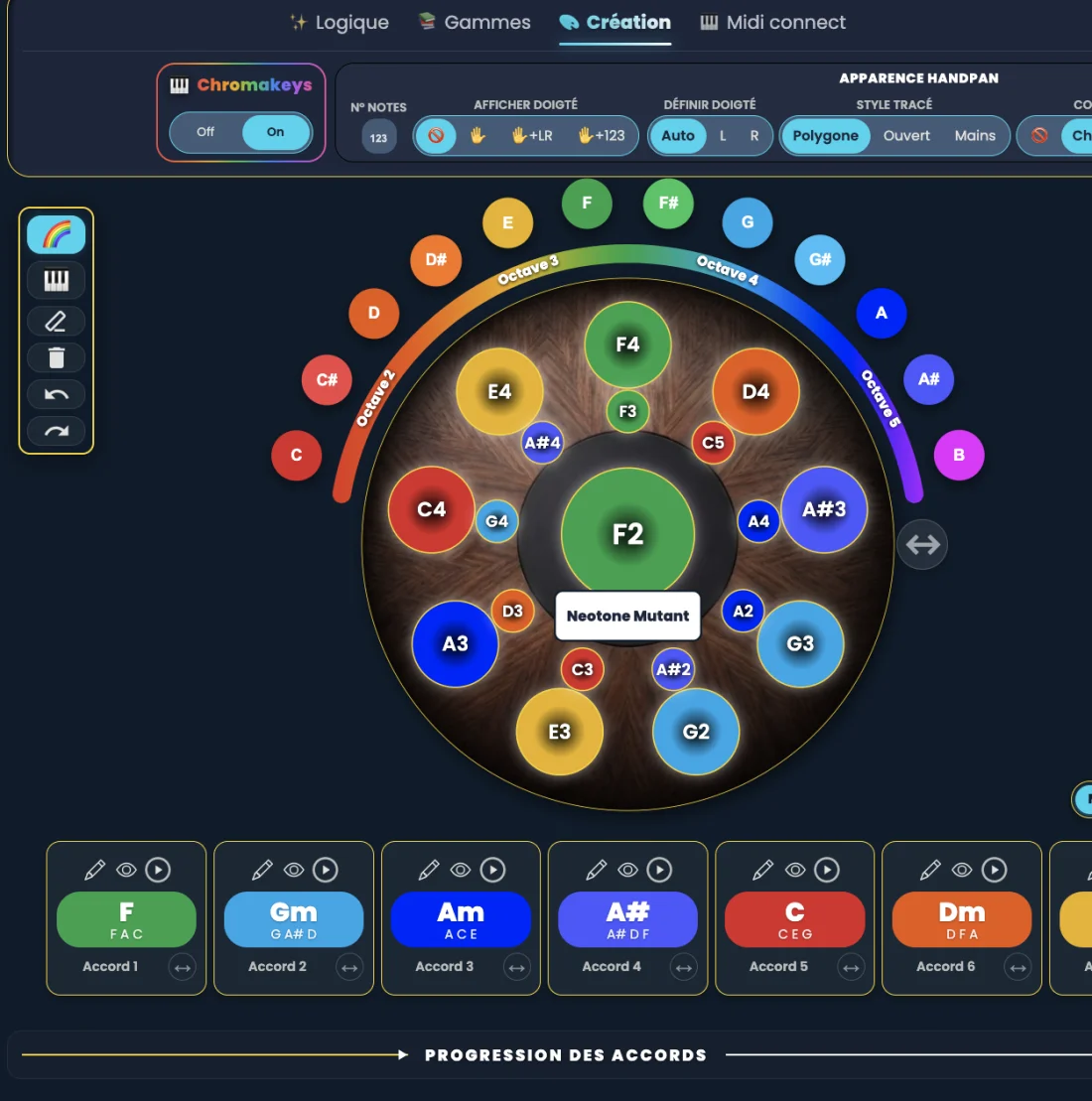
Handpan Studio’s visual score editor lets you export your chords and scores as PDF or PNG. A lovely progression found tonight no longer vanishes: you keep it as an image, review it tomorrow, pass it on to someone. One file, and your idea becomes a document you own.
The drama of the idea that flies away
You feel around, you chain colours, and suddenly a chord sequence sounds just right — that little loop that gives you goosebumps. Then you set the instrument down, life resumes, and the next day… nothing. Impossible to recall the exact order, the magic has evaporated. Every musician knows this frustration: the best ideas are often the most fleeting.
Without a trace, your progression only exists in the moment. And an idea you can’t keep is one you can neither deepen, share, nor give away.
An image you own
The score editor solves this simply: it turns your progression into a visual score — your chords, your colours, your emotional trajectory — that you export as PDF or PNG in one move. It’s not a proprietary file locked inside the app: it’s a universal image, one you open anywhere, print, file away, or send in a message.
Review without reinventing
With the score in front of you, you no longer have to rebuild your idea from scratch. You pick it up where you left off, repeat it until it’s in your fingers, let it grow. It’s the external memory that was missing to progress from one session to the next.
Pass it on to someone
A PDF is shareable. You can send your progression to a friend who plays, a singer you accompany, a student, a teacher. The visual score, with its colours inherited from Logic Mode, reads without music theory: whoever receives it sees at once the chords and emotions to chain.
A watermark, a signature
Every export discreetly carries the note “created with Handpan Studio by David Lesage”. This watermark doesn’t spoil your score: it accompanies it like a signature, and recalls where the tool comes from as your document travels.
From idea to document
Creating and exporting your scores in acoustic mode is free; the Studio version adds cloud saving to find your creations everywhere. Either way, your ideas no longer fly away.
Want guidance to compose and keep your progressions? David Lesage’s lessons take you by the hand. Open Handpan Studio and export your first score — the one you’ll find again tomorrow.
Ready to make your colours sing?
Try the app for free, or discover the electronic Neotone handpan.