Learn your chords step by step: the guided mode
In Handpan Studio, your handpan becomes a guided surface: the app lights up the coloured note to play and walks you through, chord after chord, with sound and visual feedback.
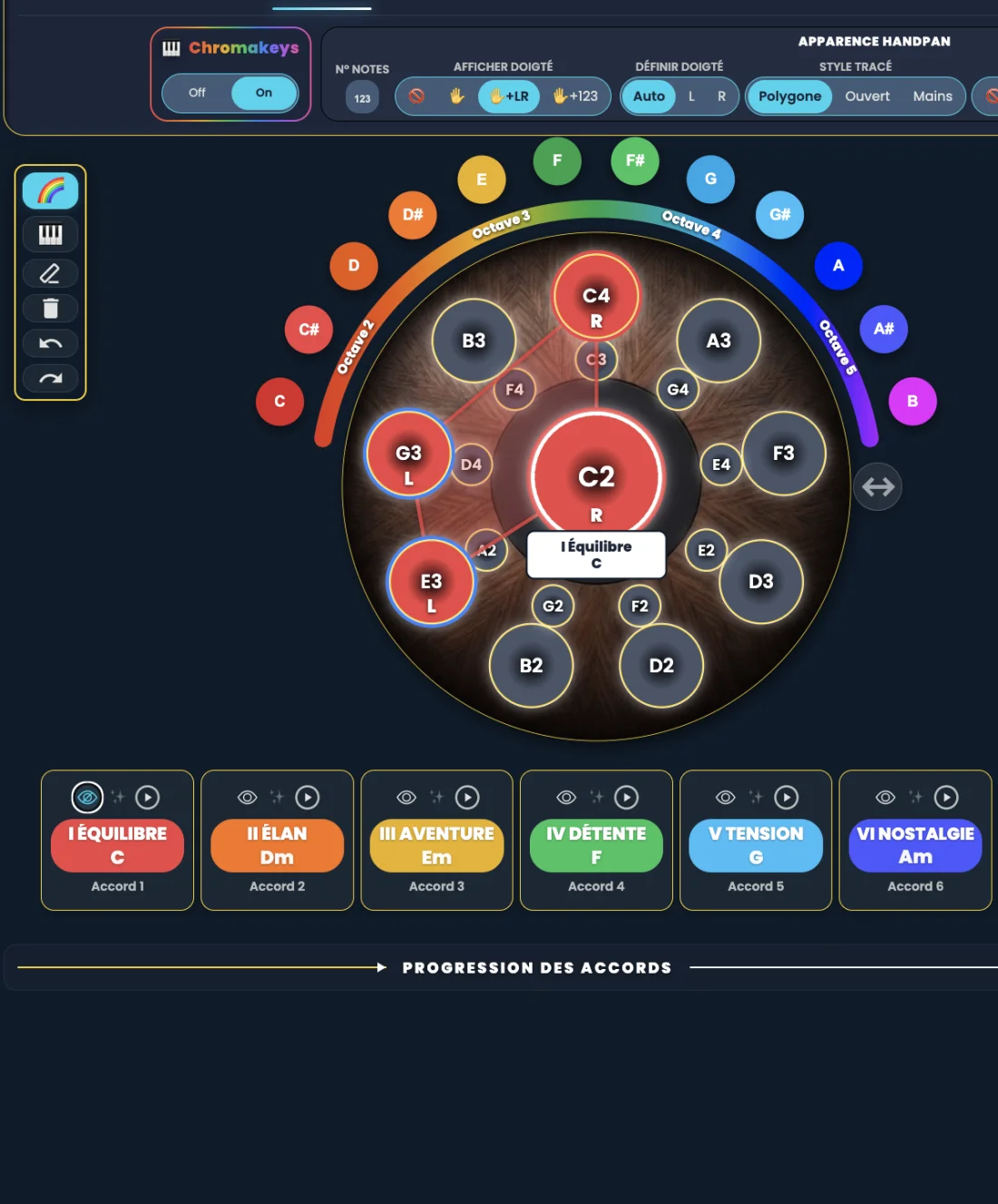
Learning a chord on the handpan means knowing which notes to play, in what order and with which hand. The guided learning mode in Handpan Studio turns your instrument into a lit-up surface: the app highlights the coloured note to touch, you play it, and you move on to the next one — the chord is learned through gesture, without reading a single note of music theory.
The real block when starting out with chords
On paper, a chord is an abstraction: three or four notes you’re supposed to “know”. As a result, many handpan players stay stuck on melodies or ambient textures, never daring to accompany themselves or someone else. It’s not about talent: theory simply arrives before the joy of playing.
How the guided mode works
The idea is simple and visual. You pick a chord, and the app shows you exactly where to place your hands:
- The coloured note to play lights up on the virtual handpan.
- You touch it, and sound and visual feedback confirms (or invites you to try again).
- The next note lights up, and so on until the chord is complete.
You move at your own pace, as many times as you like. It’s not a timed exam: it’s a patient guide that helps you memorise the chord through colour and gesture, not by rote.
Why it works: colour + movement
Our brain remembers what it sees and what it does far better than what it reads. By linking each note to a fixed colour (the ChromaKeys) and each chord to a shape, the guided mode engages your visual memory and your muscle memory. You don’t “revise” a chord: you feel it under your fingers until it becomes a reflex.
An honest note: the app also offers a suggested fingering (which hand for which note) — a genuine help, especially reliable in the Neotone’s electronic Logic mode.
From single chords to accompaniment
Learning a chord is only the first step. Once you have a few chords in hand, you can string them together and accompany real songs — that’s the whole point of the Logic mode and its 7 coloured degrees, designed to play like a guitarist or pianist. The guided mode is the on-ramp: it puts the right gestures in your hands before you tell your own stories.
Where to start
Open Handpan Studio in acoustic mode (free), pick a simple chord, and let it guide you note by note. In a few minutes you’ll play your first chord — and you’ll understand why seeing music changes everything. Want to go further with human guidance? Discover my handpan lessons.
Ready to make your colours sing?
Try the app for free, or discover the electronic Neotone handpan.