Method & colours methodgetting started

Playing handpan by colours: the ChromaKeys method

Learn handpan without music theory using ChromaKeys: every note becomes a colour, every chord a shape. David Lesage's visual method to progress fast.
Playing handpan by colours: the ChromaKeys method

Playing handpan by colours means learning to play without reading a single note of music theory: every sound on your instrument gets a colour (the ChromaKeys) and every chord draws a geometric shape (a Constellation). Your eye recognises the colour, your hand follows the shape, and the music happens — naturally, through gesture and emotion rather than theory. The method does not depend on the instrument: it reads the same way on an acoustic handpan and on an electronic one.

To see this language in motion, here is the first video of the series about the app.

Un nouveau langage visuel pour apprendre le handpan grâce aux couleurs, la géométrie et les émotions

Why colours instead of sheet music

Traditional notation asks you to translate an abstract symbol into a sound, then into a gesture. Three steps, three chances to lose your way. The ChromaKeys method removes one of them: the colour is the sound. A C is no longer a black dot on five lines — it’s a red you spot instantly on your pan.

This approach leans on a simple fact about the brain: we memorise a colour and a shape far faster than a written code. That’s why so many beginners who thought they were “not musical” start playing real pieces within a few sessions.

Each note, a colour

The seven degrees of a scale get seven stable colours. Whatever the key of your handpan, the logic stays the same: the first degree always keeps its hue, the fifth its own, and so on. Learn it once, play it everywhere.

The Création tab on a Neotone Mutant electronic handpan, dark theme, ChromaKeys on. Along the top, the compact single-line tool strip: the ChromaKeys island (Off / On, set to On), « La couleur dit… la note · chakras », « Notes partagées » on On, a « La palette de création ChromaKeys » island also on On, then the four menus NOTATION ABC, APPARENCE Noyer, MAINS & DOIGTÉ and CONSTELLATION Ouvert, and on the right the EXPORTER PDF / PARTITION island outlined in cyan with its printer icon. Every note on the pan is painted in its own colour and ringed with a halo — D2 orange at the centre, C#4 and C#3 red, B3 magenta, A3 and A4 blue, F#3 and F#4 green, G3 and G4 sky blue, E2 and E3 yellow. Around the top of the pan, the chromatic wheel is unfolded: C, C#, D, D#, E, F, F#, G, G#, A, A#, B, each in its own colour, with the octave 2 to 5 arcs. On the left, a vertical column of six icons in a yellow frame — rainbow (active), keyboard, pencil, bin, undo, redo. Along the bottom, the seven chord slots: D, Em, F#m, G, A, Bm, C#°, each with its three notes written underneath. The handpan screen reads « Neotone Mutant ».
ChromaKeys on, palette open. Every pitch has its own colour, the same everywhere: a C is red, an E yellow, a G sky blue. The chromatic wheel above the pan shows all twelve semitones and their hues. (Screenshot of the French interface.)

Click the image to open it, then click again for full size.

The Création tab on a D Minor / Kurd 10 acoustic handpan, dark theme. Along the top, the compact single-line tool strip: the ChromaKeys island (Off / On, set to On), « La couleur dit… la note · chakras », « Notes partagées » on On, then the four menus NOTATION ABC, APPARENCE Handpan Acoustique, MAINS & DOIGTÉ and CONSTELLATION Ouvert, and on the right the EXPORTER PDF / PARTITION island outlined in cyan with its printer icon. In the centre, the pan with its D3 ding and its coloured notes D4, A#3, A3, F4, E4, C4, C5, A4, G4; the handpan screen reads « D Minor / Kurd 10 ». Around the top of the pan, the full chromatic wheel — C, C#, D, D#, E, F, F#, G, G#, A, A#, B — each dot in its own colour, with the octave 2 to 5 arcs. On the left, a vertical column of six icons in a yellow frame: rainbow (active), keyboard, pencil, bin, undo, redo. On the right, the « Mes handpans » panel: « D Minor / Kurd 10 » marked « tu joues dessus », the « POUR D Minor / Kurd 10 » bar with the ACOUSTIQUE badge, « 🎼 Mes morceaux (156) », « 🎡 Tester une autre tonalité », « + Ajouter un handpan », « 📤 Partager cette gamme » and « ⚡ Ajouter un handpan électronique »; below, the collapsed « ✨ Ce que tu peux faire » and « 🎯 Compléter » sections, then « 🧭 Découvrir d'autres gammes ». Along the bottom, the seven chord slots Dm, E°, F, Gm, Am, A#, C.
The same screen on an acoustic handpan.

Click the image to open it, then click again for full size.

Each chord, a shape

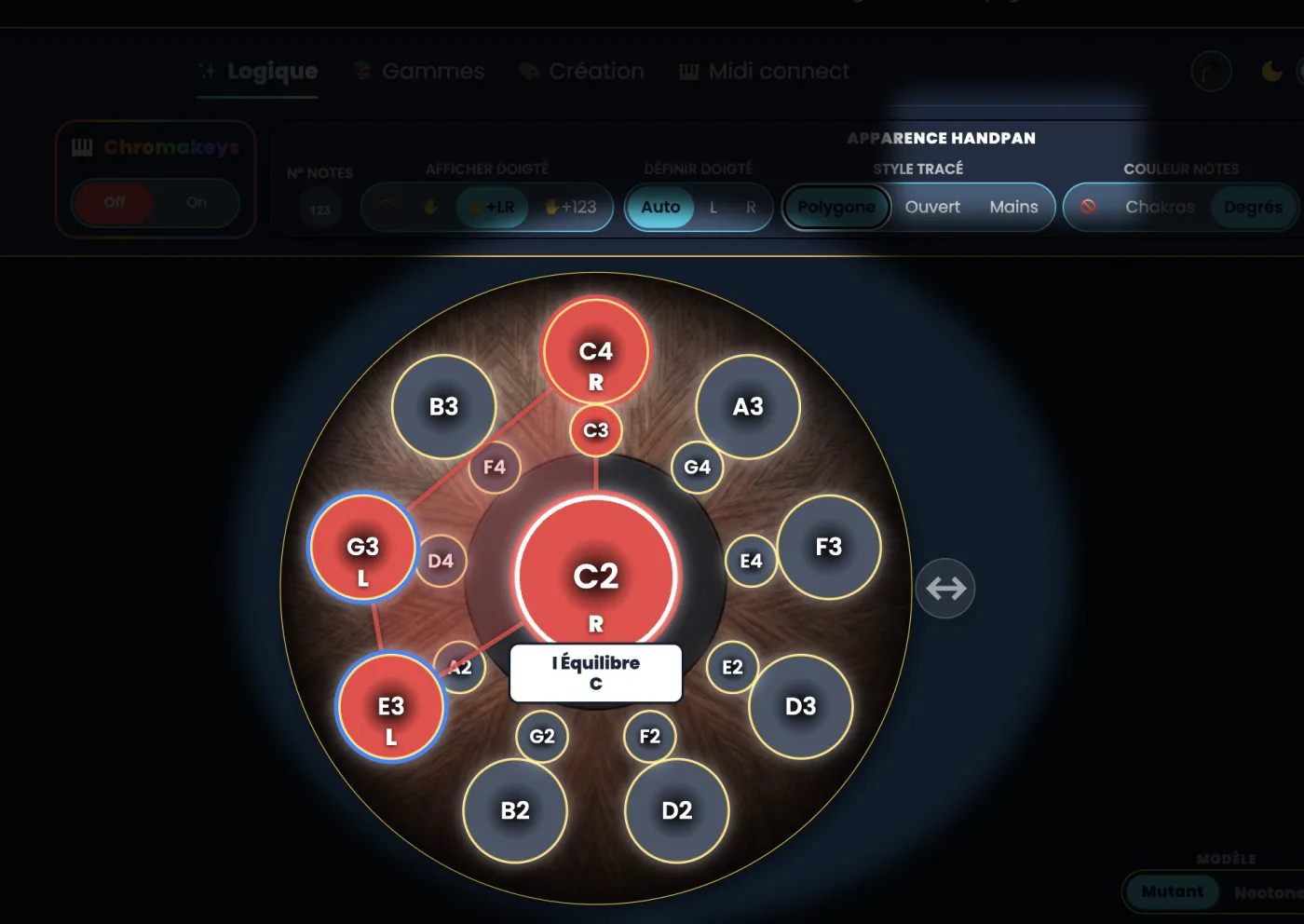
When several notes sound together, their colours connect into a Constellation: a triangle, a polygon, a recognisable figure. You no longer memorise a list of notes — you memorise a drawing. Replaying a chord becomes as simple as reproducing a shape.

How to start in practice

  1. Map the colours on your pan. Link each note to its ChromaKey until the connection becomes automatic.
  2. Play simple shapes. Begin with two- or three-note Constellations: your ear confirms what your eye suggests.
  3. Let emotion lead. Each colour carries an emotional tone (balance, momentum, nostalgia…). Choose the feeling first, and the note follows.

The easiest way in is to see those colours and shapes live on a screen, aligned with your instrument. That’s exactly what the Handpan Constellation Studio app does: it shows your pan in colour, draws Constellations in real time and guides you step by step — the Discovery version is free.

And if you play an electronic handpan

The method shines even brighter on an electronic Neotone handpan: the instrument and the screen speak the same visual language, you switch scales with a single gesture, and you can play with headphones at any hour. Colours stay your guiding thread, whatever scale is loaded.

Want to be guided step by step? David Lesage’s lessons teach the ChromaKeys method from scratch, at your own pace, until playing becomes second nature.

Learning handpan by colours isn’t a trick: it’s a way to make music finally visible — and therefore accessible to everyone.

Ready to make your colours sing?

Try the app for free, or discover the electronic Neotone handpan.