Quick Jam: accompany a musician in three clicks
A friend calls out "G minor, I-IV-V on the verse"? Three clicks and your score is ready. And if you only know the chords, the app works out the key.
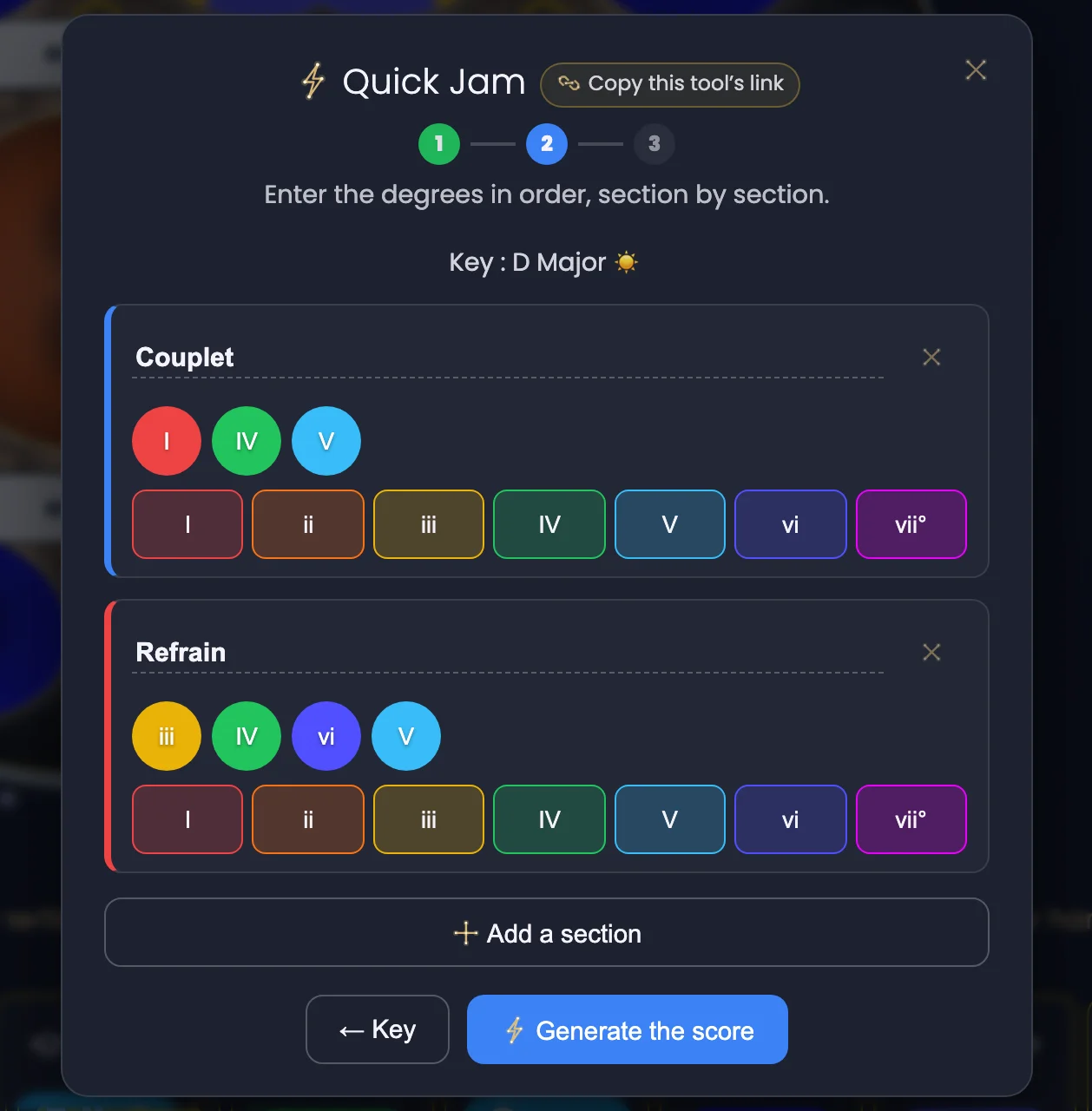
Handpan Constellation Studio’s ⚡ Quick Jam turns a line thrown across the room — “we’re in G minor, I-IV-V on the verse” — into a ready-to-play score, with named sections and diagrams in the right order. Three clicks. About as long as the guitarist needs to finish tuning.
That route doesn’t depend on the instrument in your hands: acoustic or electronic, you give the same key, you lay out the same degrees, and you get the same score, laid out on your own instrument.
The scene every handpan player knows
A campfire, a living room, a jam. Someone says “it’s in A minor, four chords, you following?”. Everyone starts. You’re still wondering whether your scale contains an E, which note to strike first, and whether what comes out will be in tune.
The problem isn’t musical, it’s logistical. You need fifteen seconds to translate what you’ve just been told into something your hands can read.
Three clicks, one score
Quick Jam does exactly that translation. You give the key, you lay out the degrees per section — I-IV-V on the verse, III-IV-VI-V on the chorus — and the app hands you a full score: named sections, chord diagrams in order, ready to play or print.
The harmony comes out right across the four scale families: major, natural minor, harmonic minor and melodic minor — including the three faces of minor.
Click the image to open it, then click again for full size.
”I don’t know the key, just the chords”
That’s the most useful door, because it’s the most common situation. People rarely dictate degrees; they dictate chord names.
Type them exactly as you’re given them — “Am, F, C, G”, or in Do Re Mi if that’s your language — and the app works out the key on its own, in plain words. If a chord doesn’t fit the key it found, it points that out gently rather than flattening it, and offers the credible alternatives. One click, and you have your scale, your piece and your score.
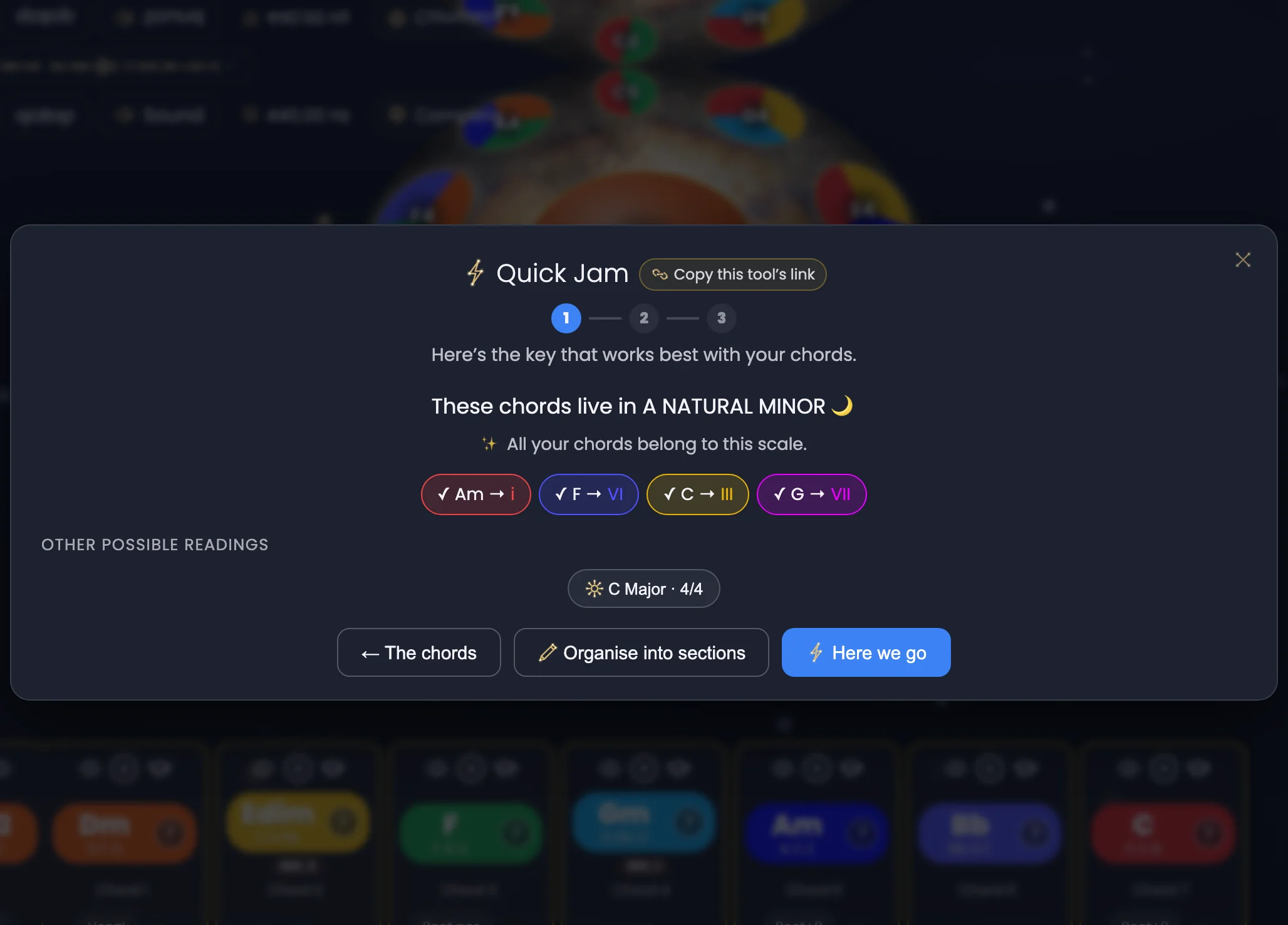
Click the image to open it, then click again for full size.
Your instrument, not another one
Quick Jam now lays the chords out on the handpan you have loaded, with the same notes in the same places. If a chord can’t be played in full on your instrument, the card tells you which note is missing. Transposing changes the key, never your instrument.
So before playing a single note you can see whether the piece fits your instrument. And if it doesn’t, the app looks for another key that fits your handpan (the last screenshot in this article shows it). Before October, Quick Jam picked a Neotone instrument itself and drew the chords on it: that is no longer the case.
Transposing for the voice
The last jam reflex: someone sings, and the key is too high. The ♭ / ♯ buttons shift the whole piece by a semitone, chords included, and ”↩ Back to original” undoes everything. It’s the move described in Transposing to sing, applied to the whole piece instead of a single note.
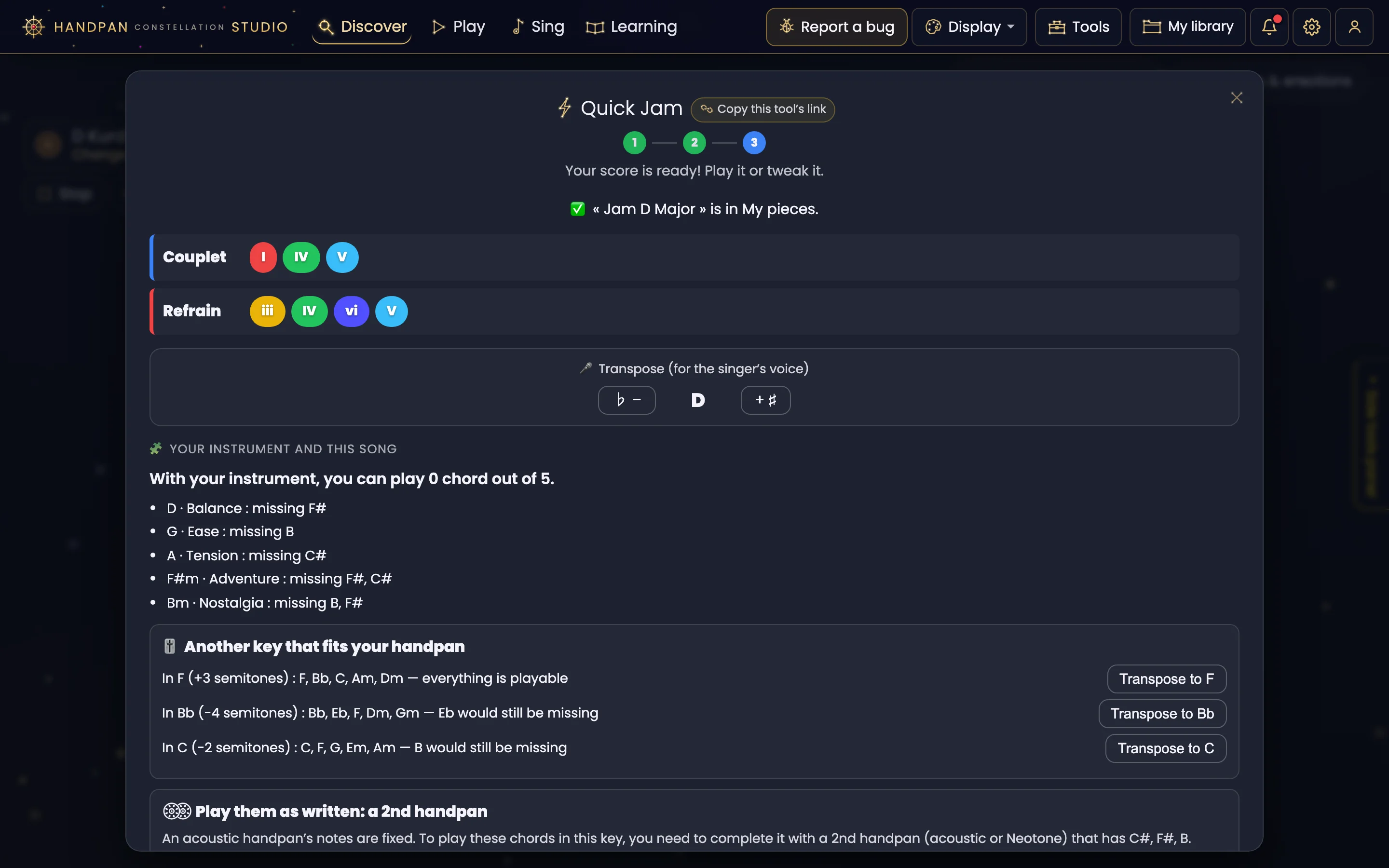
Click the image to open it, then click again for full size.
And then?
The resulting score isn’t a dead end: it opens full screen on the music stand (Pupitre), it prints, it stays in your pieces and it plays back chord by chord — that’s the subject of Your score comes alive.
Next time someone calls a key over their shoulder, open Handpan Constellation Studio, then ▶ Play › ⚡ Quick Jam (▶ Jouer › ⚡ Jam rapide), and make it playable before the first verse is over. And if you’d like to learn to hear those progressions instead of typing them, my handpan lessons start right there.
Ready to make your colours sing?
Try the app for free, or discover the electronic Neotone handpan.