Improve Handpan Constellation Studio: the feedback feature
Handpan Constellation Studio evolves thanks to you: from inside the app, send a bug, an idea, a question or a thought in one click. Every message is read and shapes what comes next.
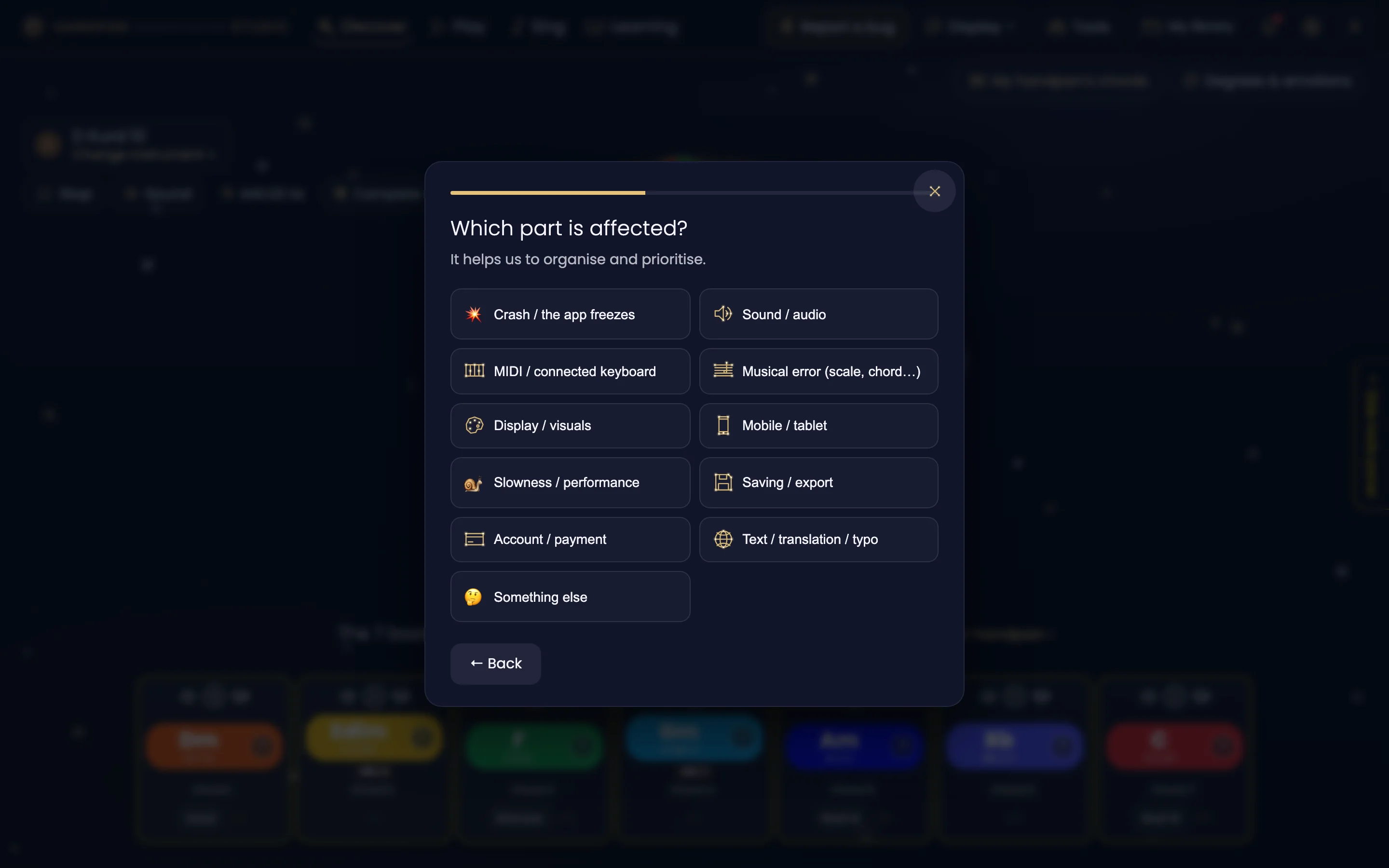
Handpan Constellation Studio isn’t a frozen app: it’s a living project that grows with the people who use it. Right from the app, you can send me feedback in one click — a bug, an idea, a question or simply a feeling. Every message is read, and it genuinely shapes the next updates. You’re not downloading software: you’re joining a collaborative adventure.
Feedback in one click, without leaving the app
In Handpan Constellation Studio, the shortest route is at the top of the screen: the 🐞 Report a bug button. It opens the bug report directly, which first asks which part is affected — crash, sound, MIDI, musical error, display, mobile, slowness, saving, account, text or translation, or something else. And the app itself attaches what’s needed to understand your problem: the screen you were on, your handpan and your last few actions.
For an idea, a question or just a feeling, the app’s main tools — My handpans, for example — carry their own 💬 Give feedback button, right next to their title. It opens the small “What are you trying to tell us?” window, with 💡 an idea, ❓ a question, 💬 feedback or 🌐 a wrong translation. Two consultations are open there too: 💡 “Suggest a name for the app” and 🎼 “How should tablature be named?”.
No endless form, no third-party account: you write your message right there, in the moment, while you play. You can even attach a screenshot, an audio clip or a short video to show exactly what you mean.
Click the image to open it, then click again for full size.
Why your feedback matters so much
An app as rich as Handpan Constellation Studio is built both ways. I design it, but it’s by playing that you discover what’s missing, what’s stuck, what would make all the difference. Your feedback means:
- A bug caught before it bothers anyone else.
- An idea that joins the list of upcoming features — and benefits the whole community.
- A question I can answer, that tells me what needs explaining better.
New scales, new modes and new features arrive regularly, and are included. The app you use today will be richer tomorrow — partly thanks to you.
A community, not a catalogue
Sending feedback isn’t “filing a ticket”: it’s taking part. By sharing what you feel, you shape a unique teaching tool built to make music visible and accessible. That’s exactly the spirit of the colour-and-shape method: together, we build the tool we all wish we’d had as children.
Your turn
Next time an idea crosses your mind while playing — “what if it could do that?” — don’t keep it to yourself. Open Handpan Constellation Studio, click ”💬 Give feedback” in the tool you’re in (or ”🐞 Report a bug” if something is stuck), and tell me. And if you’d rather talk it through, my handpan lessons are another place where your feedback feeds the teaching.
Ready to make your colours sing?
Try the app for free, or discover the electronic Neotone handpan.