How to create your own handpan scale (tutorial)
Understand what a handpan scale is and learn to build your own, for free, in Handpan Constellation Studio's acoustic mode — then share it with the community.
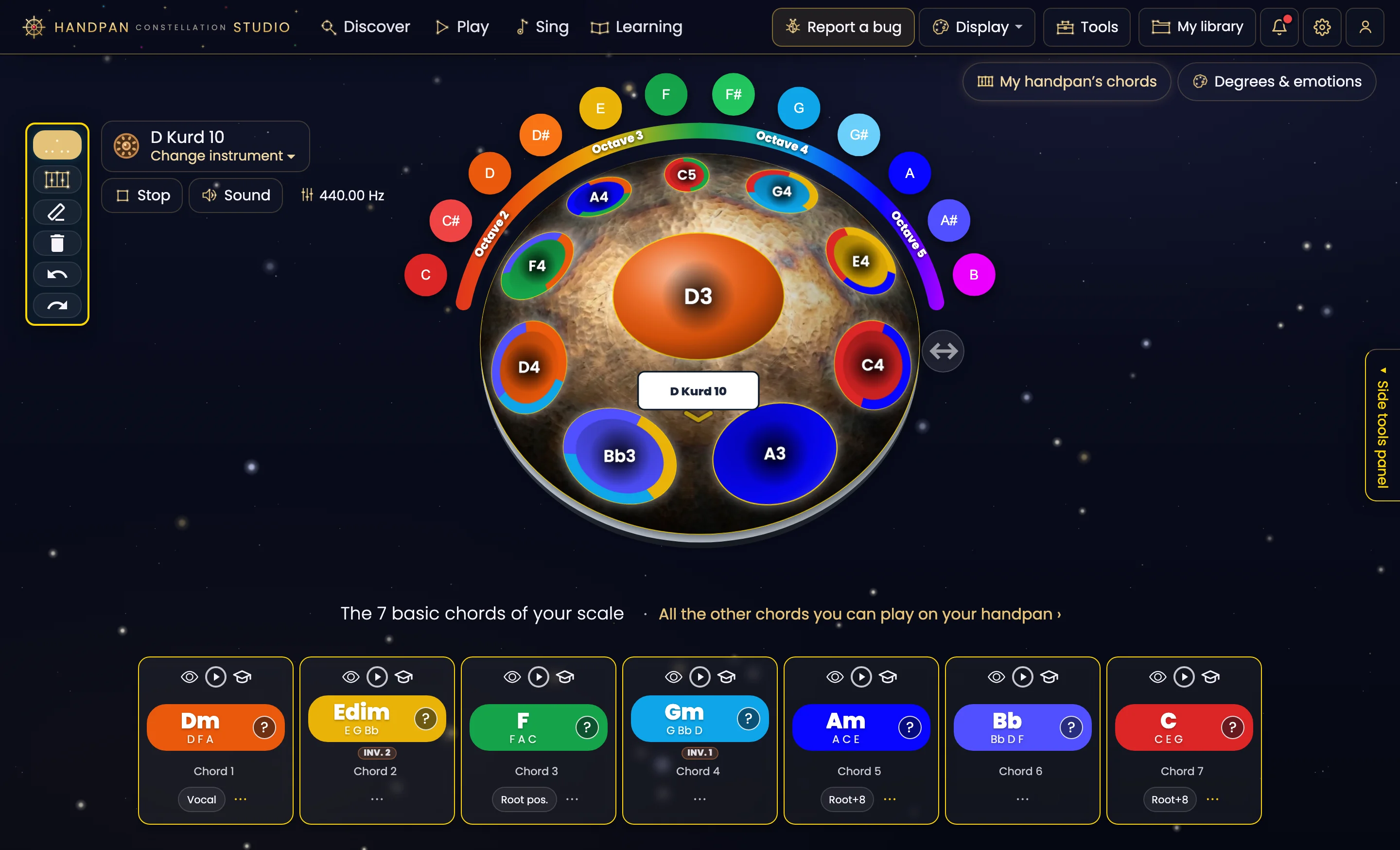
Creating your own handpan scale means choosing the set of notes that will make up your instrument — their order, their number and the emotion they carry. In the Handpan Constellation Studio app you can do it for free, draw your layout in colour, hear it live, then save it and share it with the community. This tutorial shows you how.
The approach is the same whether your handpan is acoustic or electronic: you pick a tonic, you place notes around the ding, you listen. The screenshot in this article shows the creation screen (now the “A scale” card in the Create screen) side by side, electronic and acoustic: the gesture is identical, and on acoustic, creating is free.
What is a handpan scale?
A scale is the “character” of your pan: a central note (the ding) surrounded by notes laid out around the dome. Each scale has an emotional colour — meditative, bright, mysterious — depending on the intervals you choose. Understanding this is already composing: you don’t place notes at random, you build a mood.
Tonic, degrees and intervals
- The tonic gives the resting point, the “home” of the scale.
- The degrees are the notes built around it; in colours (ChromaKeys), each keeps a stable hue.
- The intervals — the gaps between notes — decide whether the scale sounds joyful, dark or contemplative.
Create your scale in Handpan Constellation Studio (acoustic mode, free)
- Open acoustic mode. The Discovery version of Handpan Constellation Studio is free and enough to build a scale.
- Choose your tonic. It sets the overall colour and acts as the central note.
- Add your notes. Place the degrees around the ding; the screen shows them in colour and draws chord Constellations in real time.
- Listen and adjust. Play your layout, move or replace the notes that don’t speak to you. Your ear decides, your eye confirms.
- Save your scale. Store it to find it later, on an acoustic handpan or a Neotone.
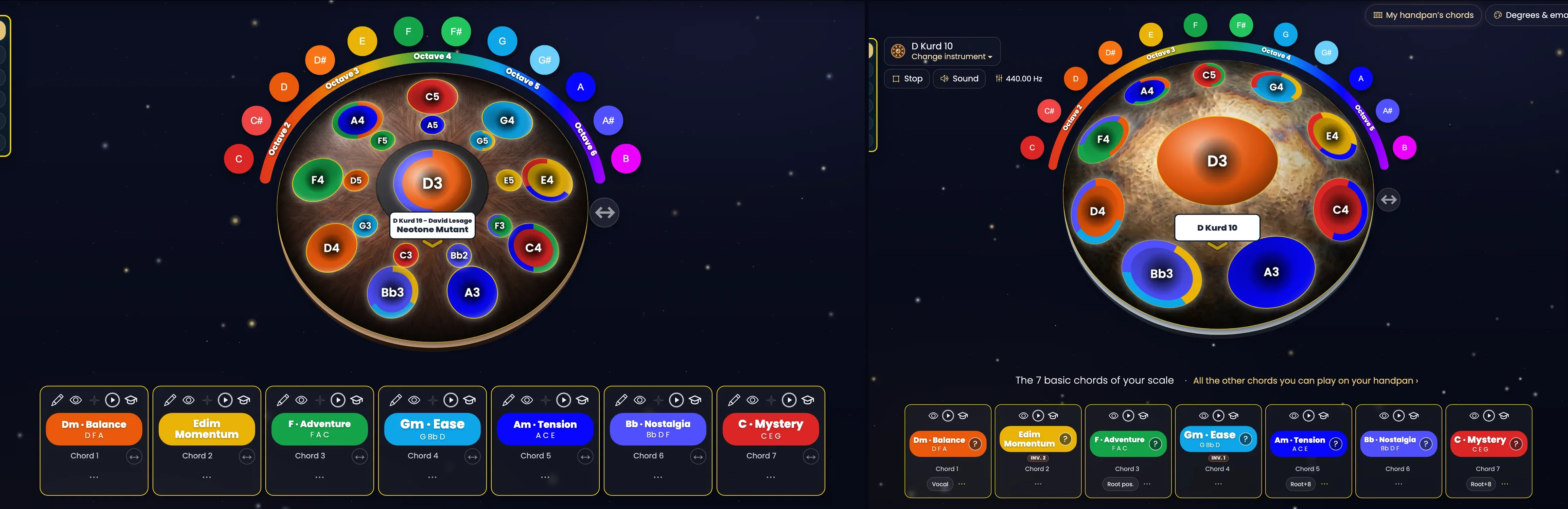
Click the image to open it, then click again for full size.
Lean on the colours
If you’re a beginner, the visual method makes composing far more intuitive: choose the emotion first, then the colour, then the note. To grasp the principle, read handpan by colours (ChromaKeys).
Share your scale with the community
Once your scale is created, you can name it and share it: other players load it, try it and get inspired. It’s also how you discover layouts imagined by others — a living atlas that grows with every creation.
Want to go further and be guided from the first note to your first composition? David Lesage’s lessons walk you through it step by step.
Creating your own scale isn’t reserved for experts: it’s the most direct way to make your emotion sound, on your very own instrument.
Ready to make your colours sing?
Try the app for free, or discover the electronic Neotone handpan.